
-
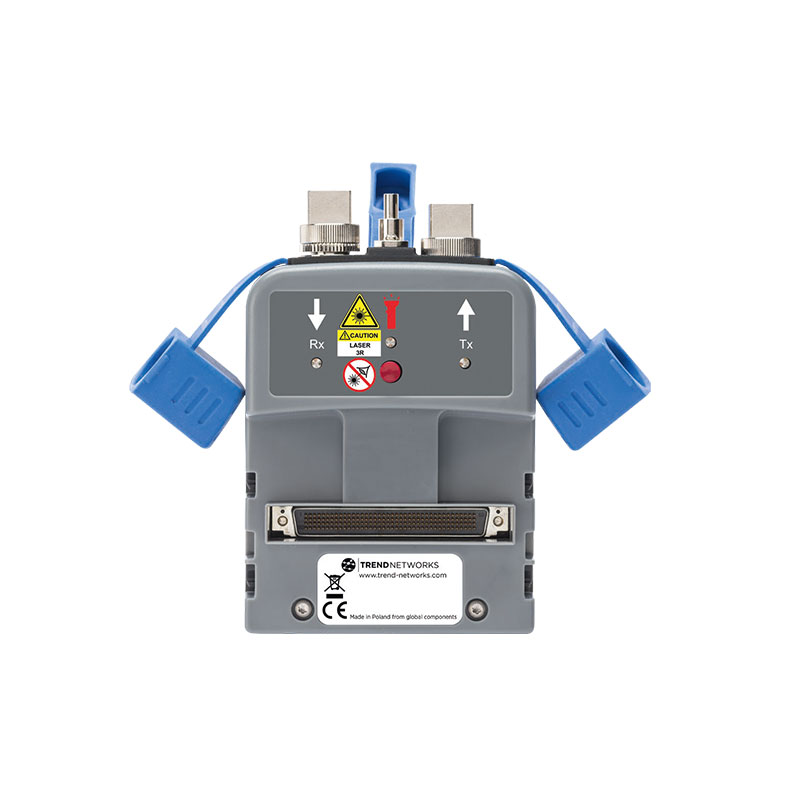
FiberTEK III
- Certification: Tier 1 certification of single-mode and multimode fibre optic cabling
- Troubleshooting: Red laser light source to visually pinpoint faults and locate fibre ports
- Protected test ports: Attached covers protect ports, minimise contamination and will not be misplaced
- Encircled Flux compliance: Enables compliance to the new fibre standards IEC 14763-3 and ANSI/TIA 526-14-C
- Field calibration: Allows 1 and 3 jumper field calibration methods to ensure accuracy and compliance to IEC and ANSI/TIA standards
- Supports all common connector types: SC, FC, ST adapters included. LC adapters optional
- Simplified bi-directional measurements: Eliminates process of manually merging directional tests into one record
- Standards: Complies with all international standards including TIA and ISO/IEC
-
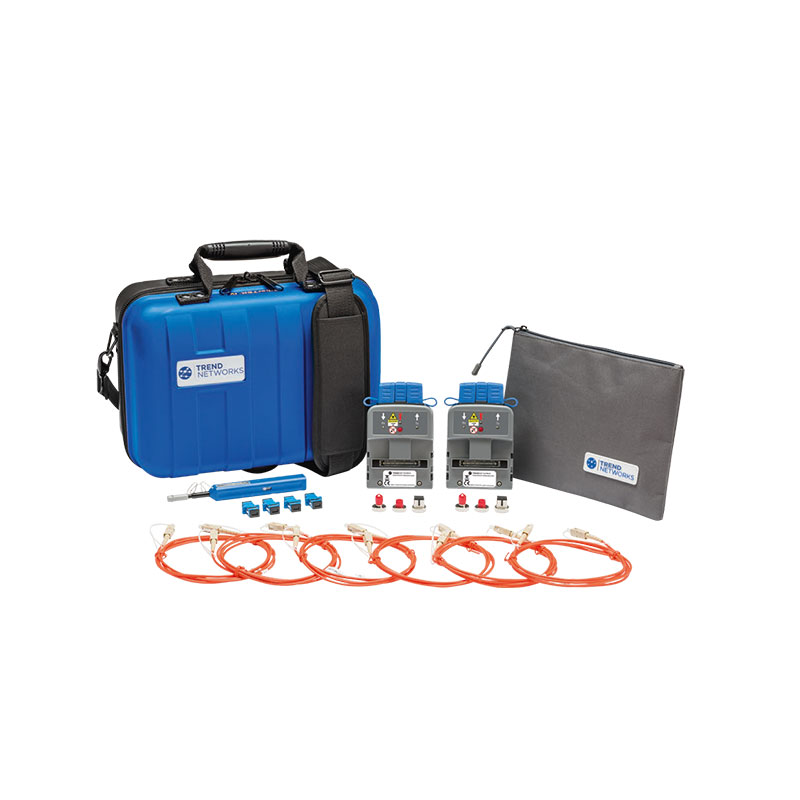
FiberTEK IV
- Troubleshooting: Red laser light source to visually pinpoint faults and locate fibre ports
- Receive LED indicator: Flashes red to warn of light from other sources, green when linked to FiberTEK IV
- Certification: Tier-1 certification of single-mode and multimode fibre optic cabling
- Encircled Flux compliance: Enables compliance to the 2016 fibre standards IEC 14763-3 and ANSI/TIA- 526- 14-C (optional accessory – see back page for details)
- Field calibration: Allows 1 and 3 jumper field calibration methods to ensure accuracy and compliance to ISO/IEC and ANSI/TIA standards
- Supports all common connector types: SC, FC, ST adapters included. LC adapters optional
- Simplified bi-directional measurements: Eliminates process of manually merging directional tests into one record
-
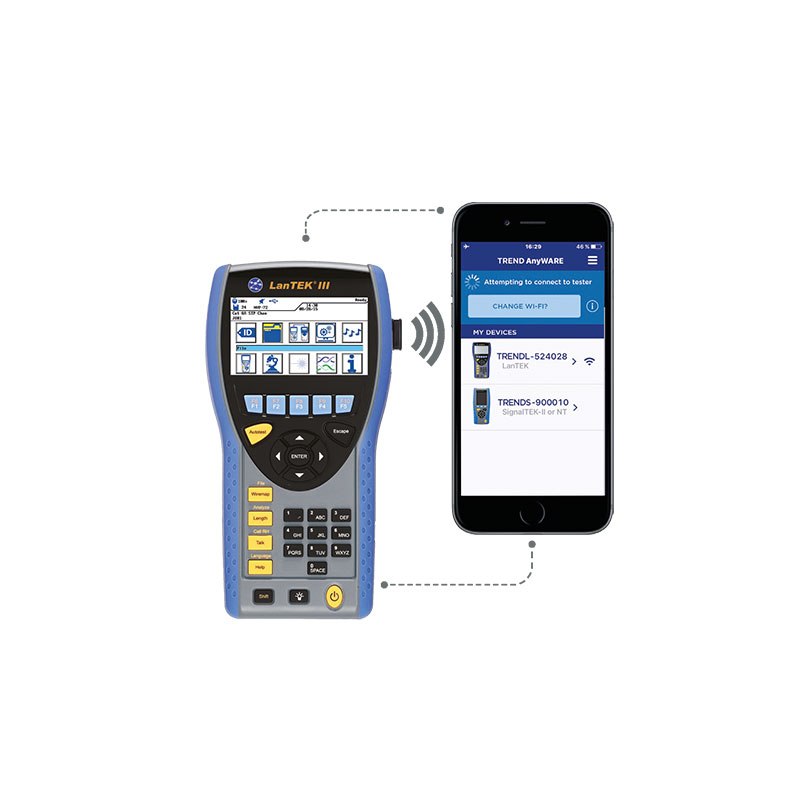
LanTEK III
- Troubleshooting features that save time and money: Locate hidden connections, splices and cable faults using Time Domain Return Loss (TDRL) and Time Domain Crosstalk (TDX)
- Share test data: Provides mobile device connectivity using the USB Wi-Fi adapter and free TREND AnyWARE app
- Long life battery: 18 hours continuous use in the field
- New permanent link adapter saves money: Reduce down time and lower maintenance costs with field replaceable RJ45 contacts
- LanTEK III Talk Set: Talk to a colleague over copper or fibre links
- Tone generator on both test units: Ability to identify and trace cables with a compatible amplifier probe (R180001)
- Autotest on both test units: Comprehensive test results within seconds. Allows one person testing
- Rugged design: Rubberised housing, protected screen and protected measurement port
- Independently verified: Accuracy verified by Intertek
-
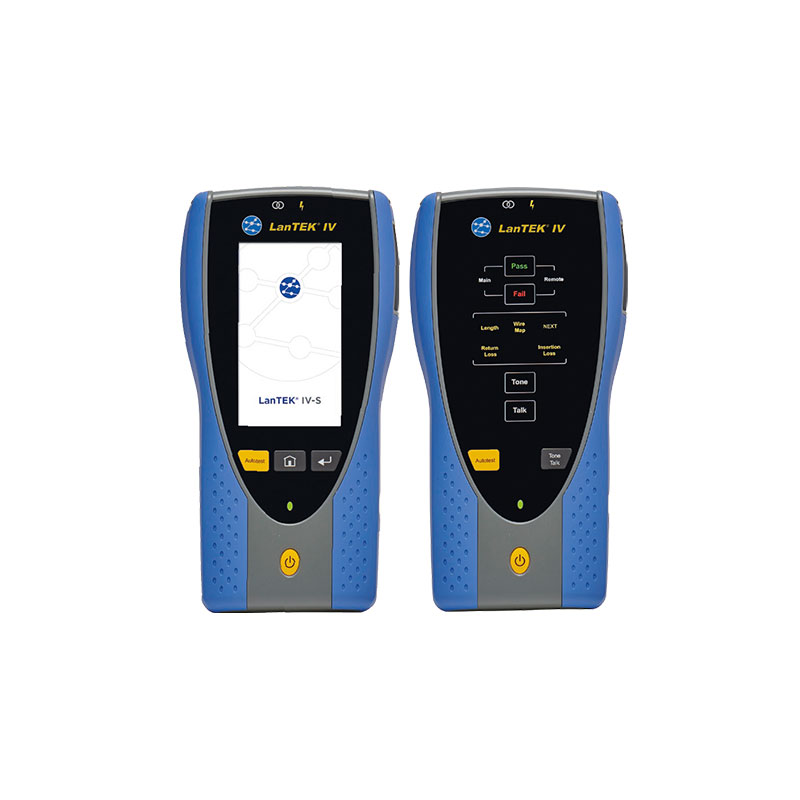
LanTEK IV-S
- 7 Second Test Time – Test and save a Cat6A test within 7 seconds.
- VisiLINQ™ increases productivity – VisiLINQ™ permanent link adapters present a new and unique way to test, everything you need to operate the certifier and verify the results in the palm of your hand.
- Fastest Cloud test management software in the world – Uploading tests / generating reports is even faster.
- No downtime or unexpected bills – The Sapphire Care Plan is designed to minimise down time, reduce the cost of ownership and protect against unforeseen repair bills.
-
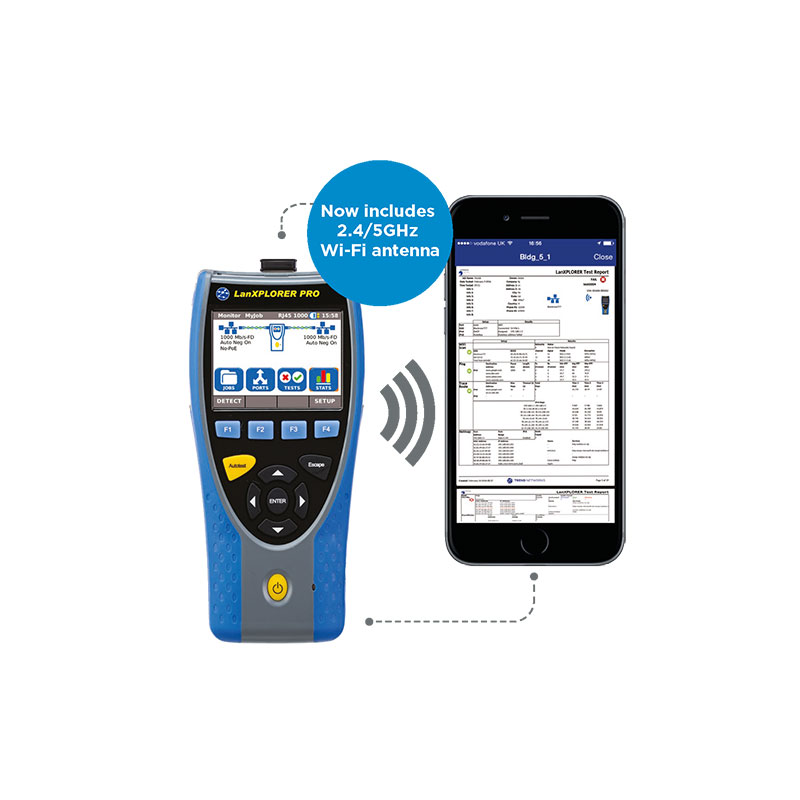
LanXPLORER Pro
- The unique In-Line feature allows you to monitor network traffic between two devices to diagnose low level Ethernet issues that cannot be detected by either a PC or a managed switch
- See your top 10 device downloaders and uploaders on the network to help troubleshooting
- Supports IPv4 and IPv6
- Touch screen for easy data entry
- Performs a scan of your the entire network including printers, servers and PCs. Then rescan and check any changes which is useful for IT audits and troubleshooting
- Provides a comprehensive analysis on layer 1 (physical cable), layer 2 (data), layer 3 (IP) as well as layer 4 and above
- Field replaceable RJ45 contacts eliminate downtime from worn or damaged connectors
- Monitoring VoIP calls and the Quality of Service (QoS) including Real Time Transport Protocol (RTP) and jitter
- Detection of PoE and PoE+ with voltage, current and power measurements to discover any power supply issues. In-Line mode allows you to measure the consumption of your PoE devices
-
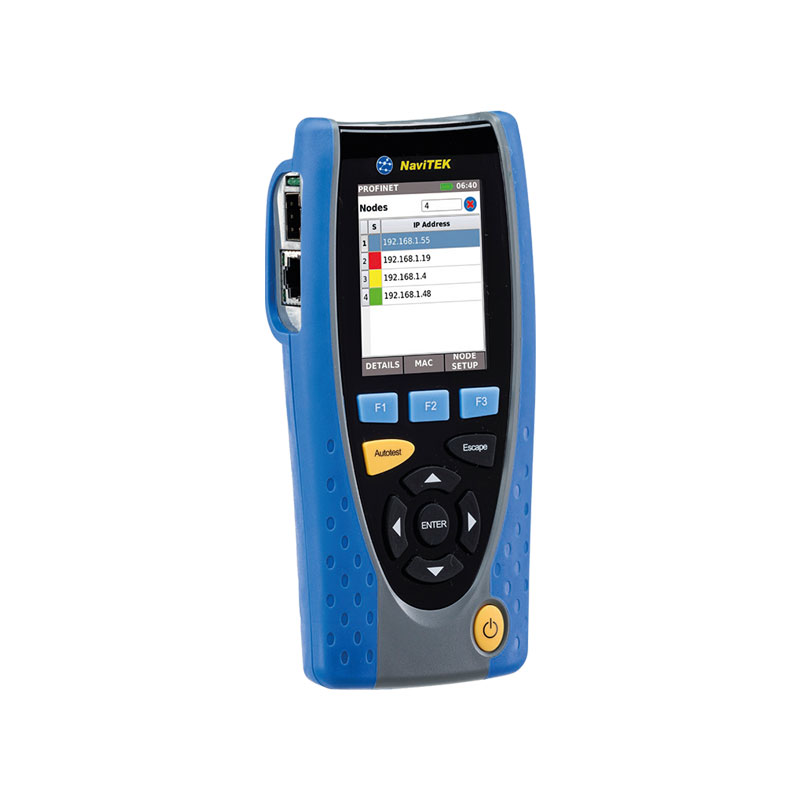
NaviTEK IE
- Pinpoint cable faults on copper and fibre cabling
- Easily configure nodes to resolve connectivity issues
- Prevent network failures with the health check feature
- Locate hard to find devices using the device blink feature
- Find mis-configured devices using the NetMAP comparison tool
- Find rogue devices using the 48 hour event log
- Create professional PDF reports for your clients
- Send reports anywhere using the free TREND AnyWARE app
-
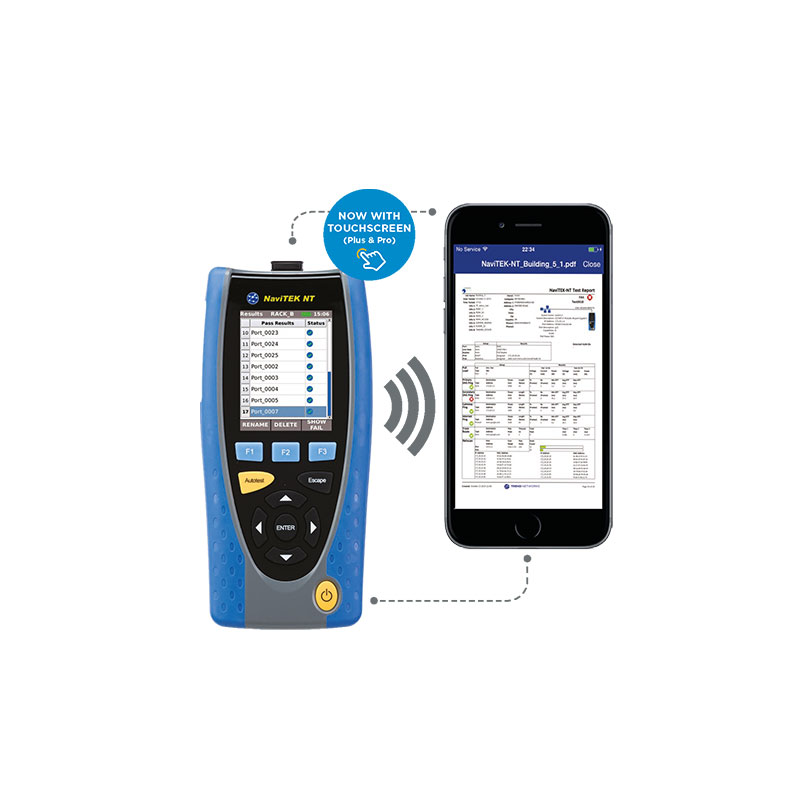
NaviTEK NT
- Port & network summary info: Press the Autotest button to display summary information and allow for detailed inspection of network parameters
- VLAN detection & operation: Automatic detection of VLAN ID’s allows the user to configure NaviTEK NT for operation on a VLAN
- Ethernet utilisation: Real time display of broadcast network traffic shown as a percentage of port speed for the previous 60 minutes
- CDP/LLDP/EDP port information: Show port information using Cisco Discovery Protocol (CDP), Link Layer Discovery Protocol (LLDP) and Extreme Discovery Protocol (EDP)
- Netscan: Display list of IP and MAC addresses of every device connected to the network
- Network Probe: View network illustration to verify test results of each network component
-
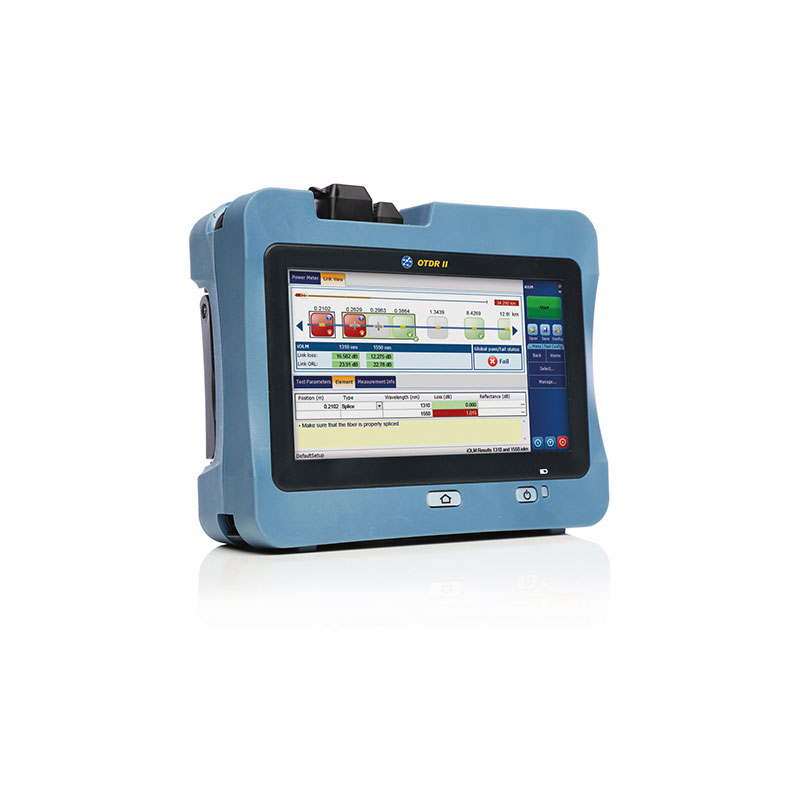
OTDR II
- Includes the intelligent Optical Link Mapper (iOLM), which turns complicated graphs into an easy to read diagram displaying all events along the link with pass/fail status for each event
- Handy, lightweight, powerful, tablet-inspired design
- Wi-Fi for data download
- Event deadzone : 0.5m MM/ 0.7m SM
- 7-inch, outdoor-enhanced touchscreen
- 12-hour battery life
- Dynamic range of up to 36 dB in single-mode and 29 dB in multimode
- Professional PDF reporting
-
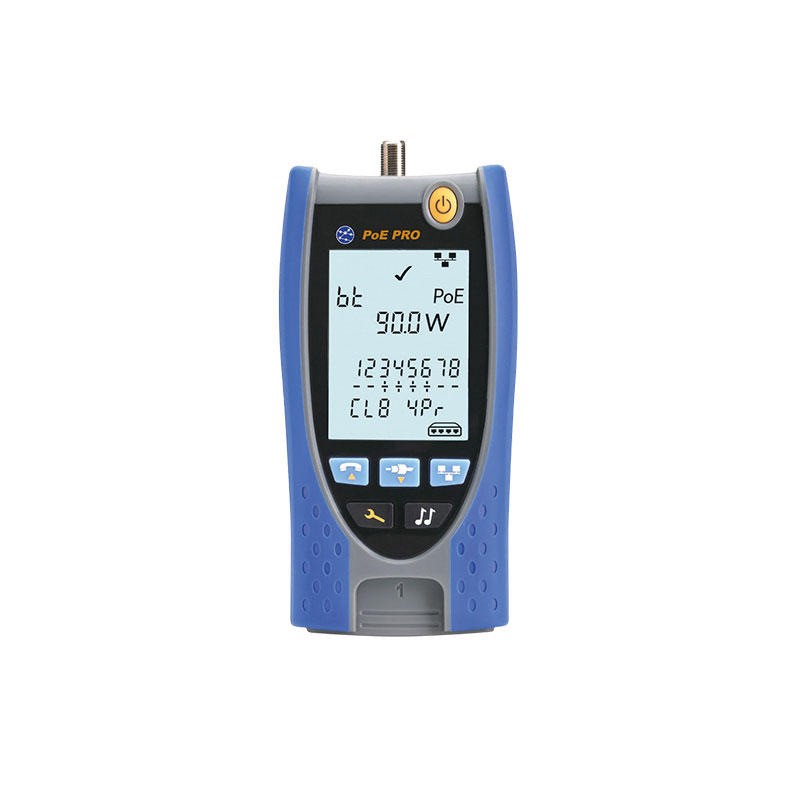
PoE Pro
- Multimedia Support: RJ-45, RJ-11/RJ-12 and coax ports for verification of low voltage copper cables
- TDR Length Testing and Troubleshooting: Pinpoints cable faults eliminating unnecessary guesswork
- Tone Generator: Ability to identify and trace cables with a compatible inductive tone probe (optional)
- PoE Detection: Identify the IEEE standard, Class, Type, max Power (W) and Voltage (V) available
- Large Backlit Screen: Instantaneous, easy to read test results
- Media Service Detection: Identifies analog (PBX) and digital (ISDN) telephone services
- Extended Power Test: Some switches / injectors may provide power exceeding its IEEE Class rating. Hold button for 3 seconds to measure maximum available power up to 90 watts
- Ethernet Detection: Displays network rate and duplex information
- Voltage Protection: Cable testing disabled if >2V detected